
That feeling when your iPhone battery just isn't what it used to be – most of us have experienced it. If you find yourself constantly tethered to a charger or feeling anxious without a portable power bank, it might be a sign that it's time to consider a battery replacement. Initially, you might think 'it's fine,' but as the inconvenience grows, you start wondering 'how much longer can I keep this up?'
🤔 What's the Current State of My iPhone Battery?
The first step is to check your iPhone battery's 'Maximum Capacity.' This single metric can give you a good estimate of when a battery replacement might be needed.
- Open your iPhone's 'Settings' app.
- Find and tap the 'Battery' menu, then select 'Battery Health & Charging'.
- The 'Maximum Capacity' percentage displayed here is the key indicator of your battery's current health.
Apple generally recommends considering a battery replacement when its maximum capacity drops below 80%. As this number decreases, your battery's overall usage time will shorten, and it can also impact your device's general performance. Some users opt for a replacement around 80%, while others might continue using it into the late 70% range. The decision ultimately depends on your personal usage patterns and how much the diminished performance inconveniences you.
😭 Why Is My iPhone Battery Draining So Quickly?
All rechargeable batteries are consumables; their performance naturally degrades with use. This is due to the chemical aging of the battery as it goes through repeated charging and discharging cycles. Factors such as frequent exposure to high or low temperatures, as well as excessive charging and discharging, can accelerate this aging process. While it's easy to assume it's just due to prolonged use, often a combination of various factors contributes to rapid battery drain.
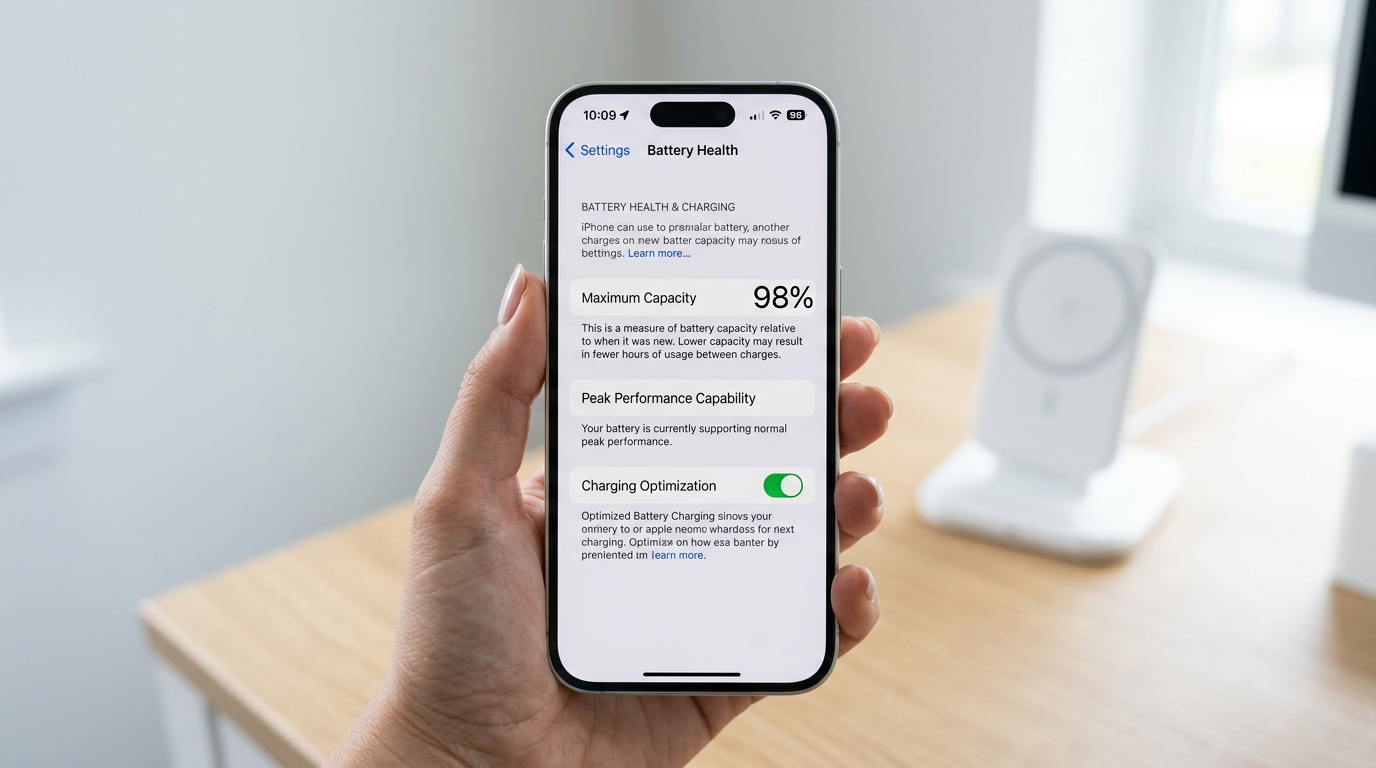
iPhone 'Battery Health & Charging' screen
How to Replace Your iPhone Battery (DIY vs. Repair Shop Comparison)
Once you've checked your battery health and decided on a replacement, the next question is how to go about it. There are two main approaches: DIY replacement or using a repair service. Each has distinct advantages and disadvantages, making a careful choice based on your situation crucial.
| DIY Replacement (Purchasing a Battery Kit) | Apple Official/Authorized Service Center | Independent Repair Shop | |
|---|---|---|---|
| Cost | Lowest (approx. $30-$55) | Highest (Varies by model, generally $69-$119) | More affordable than official (approx. $30-$100) |
| Part Reliability | Varies widely, risk of non-genuine/refurbished batteries | Genuine Apple parts, highest reliability | Varies by shop, inquire about genuine parts |
| Repair Difficulty | Very high, risk of device damage | Expert repair, safe | Expert repair, technician skill varies |
| Time Required | Depends on individual skill (approx. 1 hour for experienced users) | Half a day to several days (includes booking & diagnostic time) | Relatively fast (approx. 30 min to 1 hour) |
| Repair Warranty | None, user assumes all risk for damage | 90-day service warranty provided | Varies by shop, limited warranty possible |
| Battery Health Display | May not display accurately or show 'Unknown Part' | Normal display | May not display accurately or show 'Unknown Part' if non-genuine battery used |
1. DIY Replacement (Purchasing a Battery Kit)
The biggest advantage here is undoubtedly cost savings. You can purchase a battery kit online, typically costing around $30 to $55, which includes the battery and basic tools. This can be an appealing option for those who are good with their hands and enjoy fixing things themselves.
However, in reality, iPhone battery DIY replacement is a more challenging task than it might seem. The process involves carefully separating the screen and handling delicate internal components, with a significant risk of accidentally damaging the screen or other parts. Furthermore, for iPhone models released in 2018 or later, the 'Battery Health' status may not display correctly after a DIY replacement. If a non-genuine battery is used, you might even see an 'Unknown Part' warning message. Attempting to save money could potentially lead to much higher repair costs, so it's essential to carefully consider your technical skills and risk tolerance.
2. Using an iPhone Repair Shop (Official vs. Independent)
Most iPhone users choose to have their battery replaced by a professional repair service. This category is further divided into Apple Official/Authorized Service Centers and Independent Repair Shops.
Apple Official/Authorized Service Center
This is generally the safest and most reliable option. They use genuine Apple batteries, repairs are performed by trained technicians, and they provide a 90-day service warranty. If you have AppleCare+, and your battery's maximum capacity falls below 80%, you may be eligible for a free replacement. The downsides are typically higher costs compared to independent shops and the need for an appointment, with repair times potentially taking longer.
Independent Repair Shop
The primary advantages are lower costs and faster repair times. Many shops offer walk-in service and can complete a battery replacement within 30 minutes to an hour, making them a good choice if you need a quick fix or want to reduce expenses. However, the quality of parts and technical expertise can vary significantly between independent repair shops. If a non-genuine battery is used, the battery health status might not be displayed, or you could experience issues with iOS updates. While some independent repair providers are certified by Apple to use genuine parts and diagnostic tools, their pricing might be closer to official centers. Therefore, when choosing an independent repair shop, it's crucial to research and select a trustworthy establishment.
iPhone Battery Replacement Cost: Approximately How Much?
As of early 2026, iPhone battery replacement costs vary depending on the model and the chosen service method.
- Apple Official/Authorized Service Center: Out-of-warranty battery replacement for iPhone 16 Pro and 16 Pro Max models (and potentially newer Pro models if released) is around $119. For the iPhone 16, 16 Plus, all iPhone 15 models, and all iPhone 14 models, the cost is typically $99. Older models from iPhone X through the iPhone 13 series usually cost $89, while iPhone 8 series and SE (2nd and 3rd generation) are around $69.
- Independent Repair Shop: On average, these are more affordable than official centers. For example, iPhone 15 series replacements might range from $80-$100, and iPhone 13 series from $60-$90. However, these are average figures; prices can vary significantly between shops and depending on the type of battery (genuine, compatible, etc.). It's best to inquire directly with the shop before visiting.
- DIY Replacement Kit: These typically cost between $30 and $55 for the battery and tools.
For the most accurate and up-to-date pricing, it is always best to check Apple's official website or contact your chosen service center directly.
Practical Tips to Extend Battery Lifespan
Whether you've just replaced your battery or it's not yet time for a new one, practicing good battery habits can significantly extend its lifespan. A few simple changes can greatly improve battery efficiency.
- Enable Optimized Battery Charging: Found in your iPhone's 'Battery Health & Charging' settings, this feature helps reduce battery aging by learning your charging habits and delaying charging past 80% until closer to when you need it.
- Automatic Brightness and Screen Brightness Adjustment: Screen brightness is a major battery consumer. Enable auto-brightness and avoid setting your screen brighter than necessary.
- Disable Background App Refresh: Apps constantly refreshing data in the background can drain your battery. In Settings, allow refresh only for essential apps and turn it off for others.
- Utilize Low Power Mode: When your battery is low, activating Low Power Mode can temporarily extend battery life. It's most efficient when used as needed, rather than constantly.
- Manage Location Services: Many apps use location data, which contributes to battery drain. Adjust settings for apps to 'While Using the App' or 'Never' if location access isn't crucial.
- Use Dark Mode: For iPhone models with an OLED display, using Dark Mode can help save battery.
- Avoid Extreme Temperatures: iPhones operate best between 0°C and 35°C (32°F and 95°F). Avoid leaving your device in very hot or cold environments for extended periods, as this can harm battery health.
- Battery Cycle Management: Many experts suggest that maintaining a charge between 20-80% rather than frequently fully draining and fully charging is better for long-term battery health.
Frequently Asked Questions
Q1. Will my iPhone's performance return to 100% after a battery replacement?
Yes, after replacing with a new battery, the 'Maximum Capacity' in 'Battery Health' will typically show 100%. However, if an independent repair shop uses a non-genuine battery or for certain models, this percentage may not display accurately.
Q2. What if my iPhone still gets hot or drains quickly after a battery replacement?
If issues persist after a battery replacement, it might indicate that the battery wasn't the sole problem. Software errors, motherboard issues, or other hardware malfunctions could be at play. It's advisable to seek professional diagnostics again. If the replacement was done at an official service center, it's recommended to request a re-inspection within the warranty period.
Conclusion
Your iPhone battery is essentially the lifeline of your smartphone in daily life. When battery performance declines, even the best iPhone struggles to perform optimally. By regularly checking your battery's status, replacing it at the appropriate time, and adopting small habits for battery management, you can enjoy a much smoother iPhone experience. We hope this article has provided some valuable insights for managing your iPhone's battery.